The race for the ultimate desktop AI assistant just got a lot more interesting. This week, Google officially launched its native Gemini app for macOS, following closely on the heels of its Windows release. For Nigerian SMEs and tech professionals looking to streamline their workflows, this isn't just another app—it’s a powerful productivity shift.
Here is the breakdown of what the new Mac app brings to your desktop and how you can start using it today.
A Floating Shortcut to Productivity
The standout feature of the Gemini Mac app is how it lives on your desktop. Instead of digging through browser tabs, you can now summon Gemini from anywhere using a simple keyboard shortcut: Option + Space.
- Quick Chat: A floating bubble appears for fast questions or commands.
- Deep Work: Use Option + Shift + Space to expand into a full-screen interface for complex tasks like coding or long-form writing.
- Accessibility: You can also pin the app to your Dock or access it directly from the Menu Bar.
Screen Sharing & Contextual Awareness
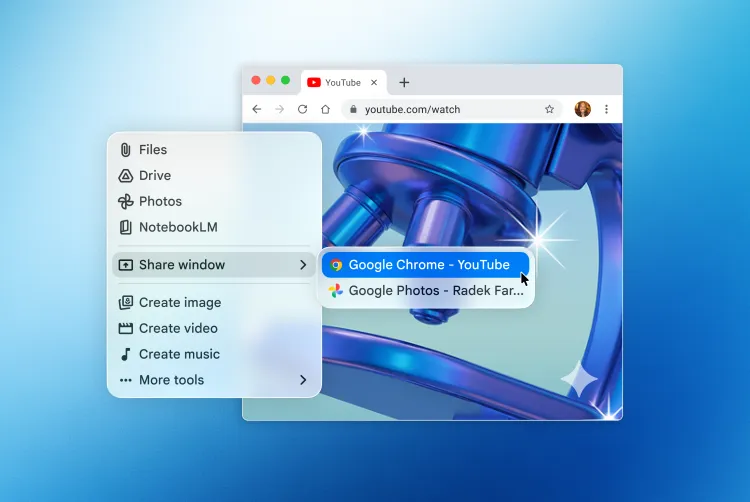
One of the most powerful tools in this release is the ability to share your screen with the AI. After granting system permissions, you can share a specific window—like a messy spreadsheet, a complex chart, or a dense PDF—and ask Gemini to:
- "Summarize the three biggest takeaways from this report."
- "Help me find the error in this block of code."
- "Analyze this sales data and suggest improvements."
By "seeing" what you see, Gemini provides context-aware help without you needing to copy and paste text.
Creativity Tools: Nano Banana and Veo
The app isn’t just for text. It integrates Google’s latest creative models directly into the macOS experience:
- Nano Banana: Generate high-quality images and logos in seconds.
- Veo: Create short, high-quality videos based on your descriptions.
- Audio: Generate custom soundtracks or lo-fi beats for your projects.
System Requirements & Availability
The app is free to download and is rolling out globally to all Gemini users.
- OS: Requires macOS Sequoia (15.0) or later.
- Hardware: Optimized for Macs with 8GB of RAM or more.
- Download Link: gemini.google/mac
The Overite Take: Why This Matters for SMEs
For businesses focused on digitizing and scaling, having an AI assistant that understands your "on-screen" context is a game-changer. Whether you are reviewing financial documents or managing a digital marketplace, the ability to get instant summaries and creative assets without leaving your workspace reduces cognitive load and speeds up execution.
Google has stated that this release is just the foundation for a "proactive and powerful desktop assistant." With more updates expected at WWDC this June, the integration between AI and our daily work tools is only going to get deeper.
Ready to try it? Head over to the official download page and let us know how it changes your workflow!